
Automatic Meeting Transcription, Unattended
Automatic meeting transcription means recordings go in and finished documents come out, without anyone starting the job by hand. Point Scriber at the place your recordings already land, and every file that arrives is transcribed, summarized, and turned into minutes on its own. This page describes the pipeline in full, for anyone with an existing pile of recordings to work through.
How Recordings Reach Scriber
Nobody has to open Scriber to begin a transcription. Recordings from your conferencing tool, phone system, or dictation device can be dropped into a watched folder on the server, an S3-compatible bucket, or any mounted network share that Scriber has been pointed at.
As soon as a file lands in one of those places, Scriber notices it and starts working. There is no queue to check and no upload step for anyone to remember; the pipeline simply waits for recordings to appear.
From Recording to Finished Minutes
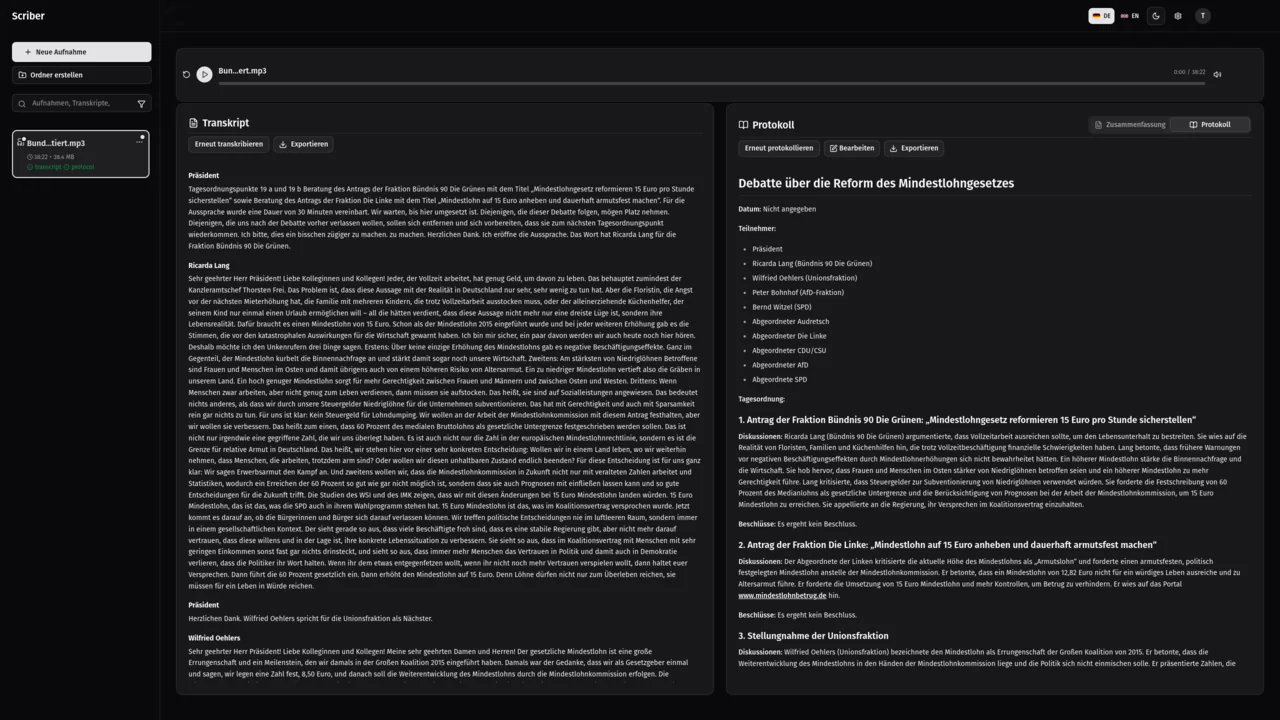
Each recording is transcribed with every speaker separated out, so the written record shows who said what. From that transcript, Scriber drafts a short summary of the discussion and then the finished minutes: title, date, attendees, and every agenda item with its discussion and the decision reached.
The recording, its transcript, and the minutes are also filed in your searchable library alongside everything else Scriber has produced, so a document generated automatically is just as easy to find later as one you recorded yourself.
Recording Lands
A file appears in the folder, bucket, or share Scriber is watching. Nothing further needs to be attached or described.
Scriber Processes It
Transcription, summary, and minutes are generated without a manual step. Speaker separation happens at this stage too.
Finished Documents Appear
The output is written back out and filed in the library at the same time. Nobody has to trigger this step or watch it happen.
Delivery Without Opening a UI
The finished transcript, summary, and minutes are written out as PDF, Word, plain text, Markdown, or JSON, delivered straight to the folder or network share you choose when the pipeline is set up. Nobody has to log in, check a queue, or click export.
The browser interface stays available for recording, search, and review, but automatic transcription does not depend on it. It runs unattended inside your network for as long as recordings keep arriving, whether that is once a day or continuously.
Automatic and Still On-Premise
The whole pipeline, from arrival through transcription to delivery, runs on the same self-hosted, on-premise infrastructure described on our other pages: your own servers, nothing uploaded to reach it. Automatic only means nobody has to operate the interface, not that anything leaves your control; the recordings, transcripts, and minutes never travel further than the storage you already chose. If your recordings currently pile up unread because nobody has time to sit and transcribe them, that backlog is exactly what this pipeline is built to work through.
Frequently Asked Questions
How do recordings get into Scriber automatically?
Point Scriber at a watched folder on the server, an S3-compatible bucket, or a mounted network share. Recordings from your conferencing tool, phone system, or dictation device land there, and Scriber picks up each one as it arrives, with nobody uploading anything by hand.
What documents does Scriber produce from a recording?
A speaker-separated transcript, a short summary of the discussion, and finished meeting minutes with title, date, attendees, and each agenda item's discussion and decision. All three are also filed in your searchable library alongside the original recording.
Does automatic transcription need anyone to operate the interface?
No. The browser interface exists for recording, searching, and reviewing transcripts, not for running the pipeline. Once a folder, bucket, or share is being watched, recordings are picked up, transcribed, and delivered without anyone opening Scriber at all.
How do the finished documents get back to us?
As PDF, Word, plain text, Markdown, or JSON, delivered to the folder or network share you chose when Scriber was set up. Everything is also kept in the searchable library, so a transcript or set of minutes can be found again without tracking down the export.
Automate Your Meeting Transcription
Tell us where your recordings land, and we will show you how the pipeline fits your infrastructure.